Sent
Sent Faxes
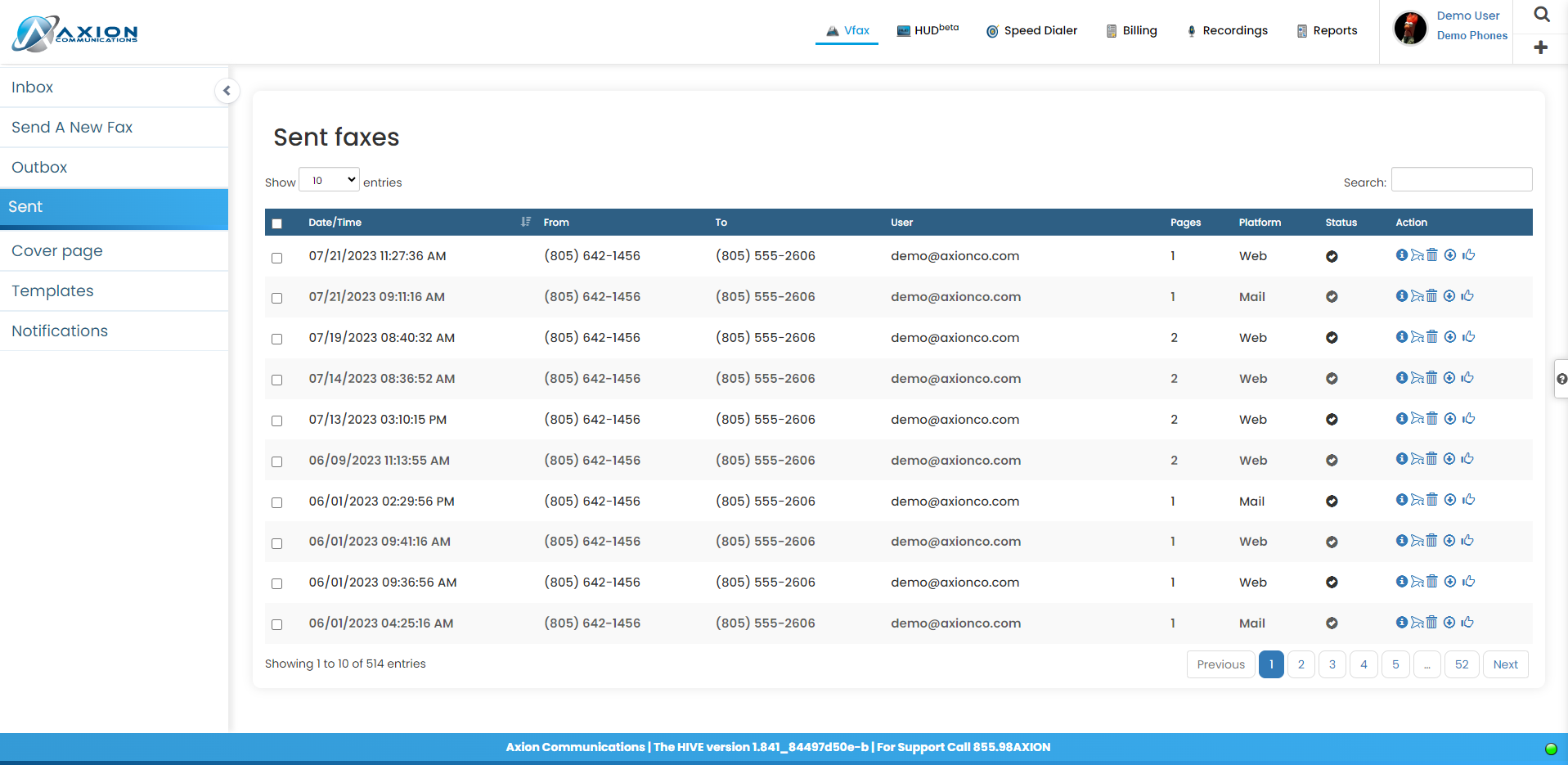
View and download your outbound fax history.
Overview
Your Sent faxes page will show you a list of sent faxes from all numbers associated with your user account. You can adjust the number of faxes viewable per page by adjusting the "Show entries" dropdown box. Also, you have the ability to sort faxes by each of the columns by clicking the arrows to the right of that column title as well as search your outbox for faxes. You can search by the Date/Time, Caller ID, or Fax Number
The Status column will show a black mark with a white check if the fax was successfully sent and a blue mark with an exclamation point if there was an error in delivery.
The Action column gives you the ability to delete faxes as well as download available faxes
Fax Table
- Date/Time - Timestamp of when fax was sent
- From - Outbound number
- To - Receiving number
- User: Portal user who sent the fax
- Pages - Pages in faxed document(s)
- Delivery Status - Successful or Failure (hover over fail for error info)
- Action
- View Fax Info
- Resend Fax
- Delete Fax
- Download Fax
- Report
- View Fax Info


Figure 1: vFax Sent history