
How to Add Identillect.com as a Trusted Site
This applies to Internet Explorer only
Instructions
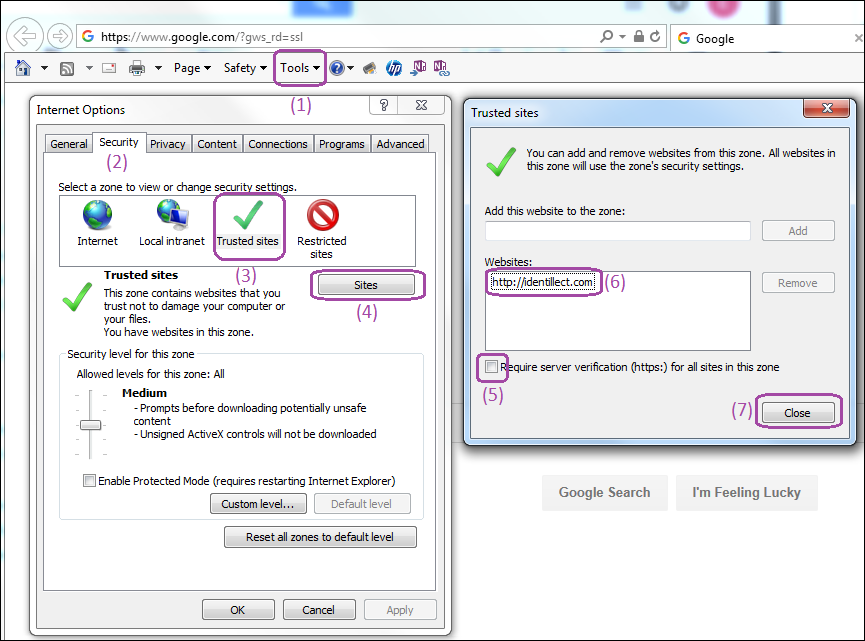
1. Go to Tools menu item and then the the Internet Options menu item.
Note: If you do not see the Tools menu, then press the "Alt" key (on your keyboard) to display it
2. Click on the Security tab
3. Click on Trusted Sites
4. Click on Sites
5. Make sure the Require server verification (https:)... is not checked
6. Add http://identillect.com to the list of Websites
7. Click Close
Related Topics
Was this helpful?