
Gmail Add In: Reinstallation
When removing the Gmail Add In from Chrome or is needed to reinstall it, please follow the next steps:
Instructions
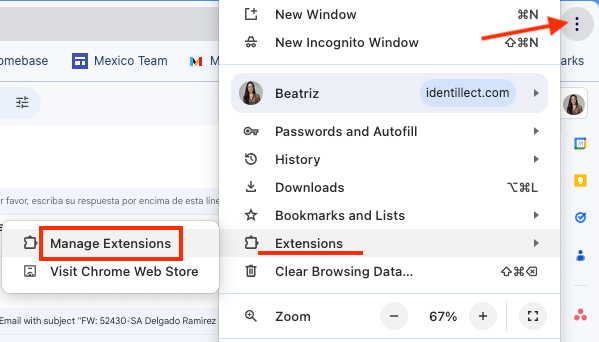
1.Click on the 3 vertical dots to open Chrome Options.
2. Click on Extensions.
3. Click on Manage Extensions.
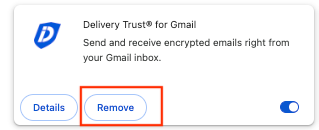
4. Click on Remove, this will uninstall the add in from Google Chrome.
5. Now you can re-install the plugin. See Gmail Add-in: Installation
Was this helpful?