
Outlook Add-in: Add-in Not Appearing in Reply/Forward (Reply pop-out)
This applies to Outlook 2013/2016 and is regarding an error where the Outlook Add-In is not visible when clicking the Reply or Forward button in an email.
Problem
The Outlook Add-in window does not appear when Replying or Forwarding an email in either Outlook 2013 or 2016.
Resolution
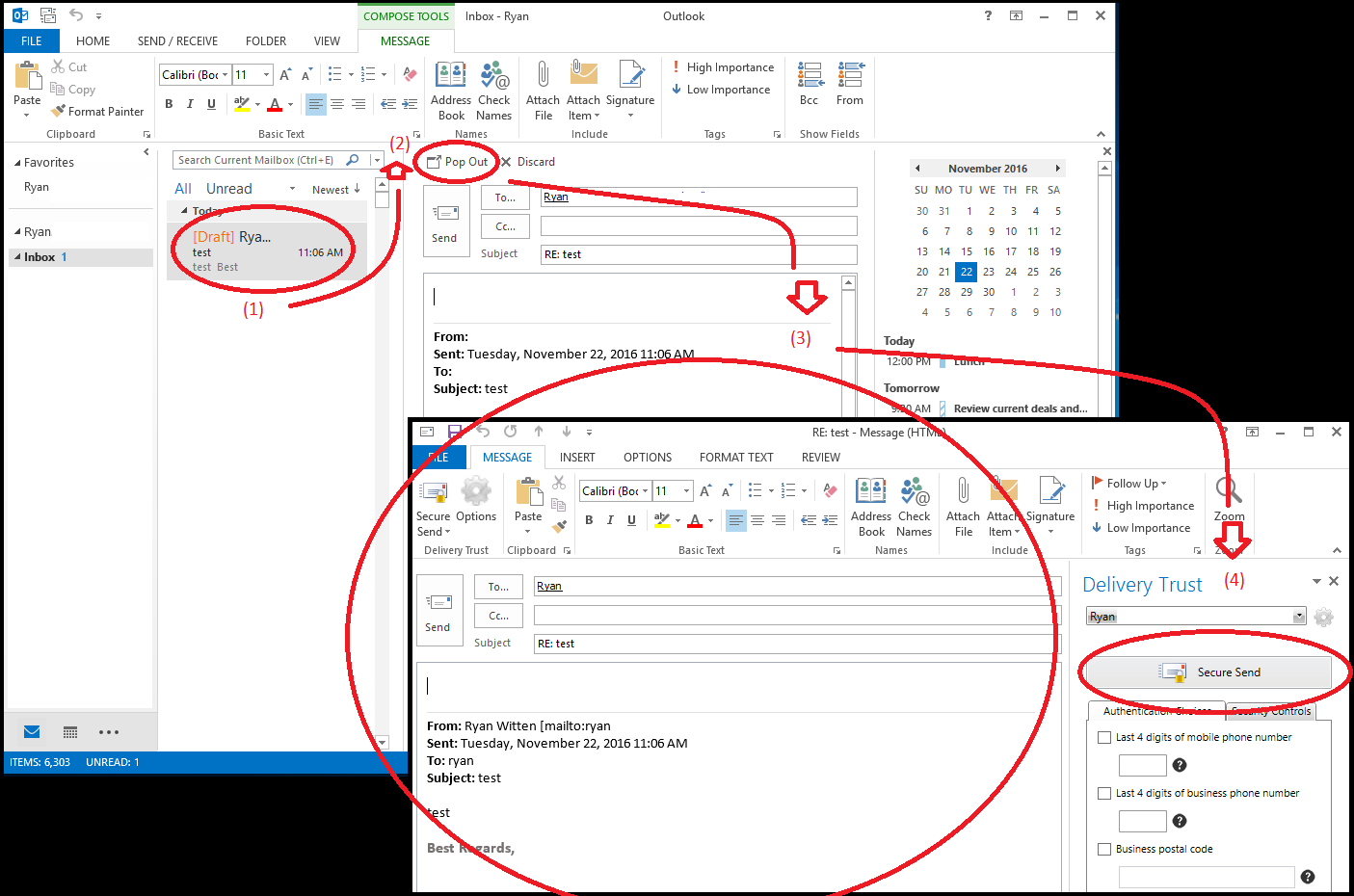
Resolution 1: Pop Out of minimized Reply screen (see screenshots for further guidance)
- Click Reply or Forward on the desired email.
- Above the Send button in the email that is located to the right of the To, From, and CC fields, click the Pop Out button.
- The email will literally pop-out into a new separate window, allowing you to see the Delivery Trust add-in.
- Continue with your secure email as usual.
The Delivery Trust add-in will only be visible when following the above steps; composing the email in a separate window.
Resolution 2: Set Outlook Email Replies to Always Pop Out Into a New Window
- From the File tab, select Options.
- Go to the Mail tab.
- Scroll down to the Replies and forwards section and check the box for Open replies and forwards in a new window
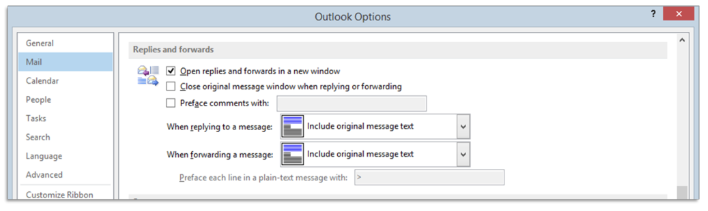
Outlook Email Replies will automatically open into a new window and the Delivery Trust add-in will be visible, preventing the need to Pop Out.
Was this helpful?