
Send a secure message through someone's Secure Email Link
A Delivery Trust user can give you their Secure Email Link so you can send them an encrypted message, for example to share signed forms or tax documents. You don't need an account: you confirm your email address with a one-time code, then write your message in the browser.
Send a message
- Open the link you were given. It looks like
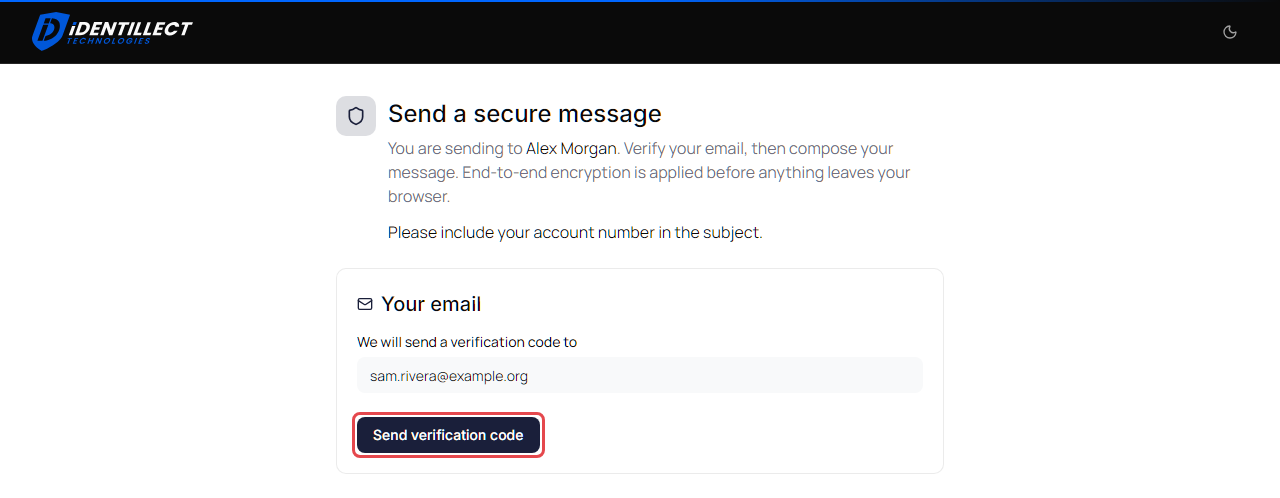
https://portal.identillect.com/send/account-…. The Send a secure message page shows who you're sending to, and may include instructions from them. -
Under Your email, enter your email address and click Send verification code. The page shows Code sent to your address. Look for an email from Delivery Trust; check your spam folder if it doesn't arrive.
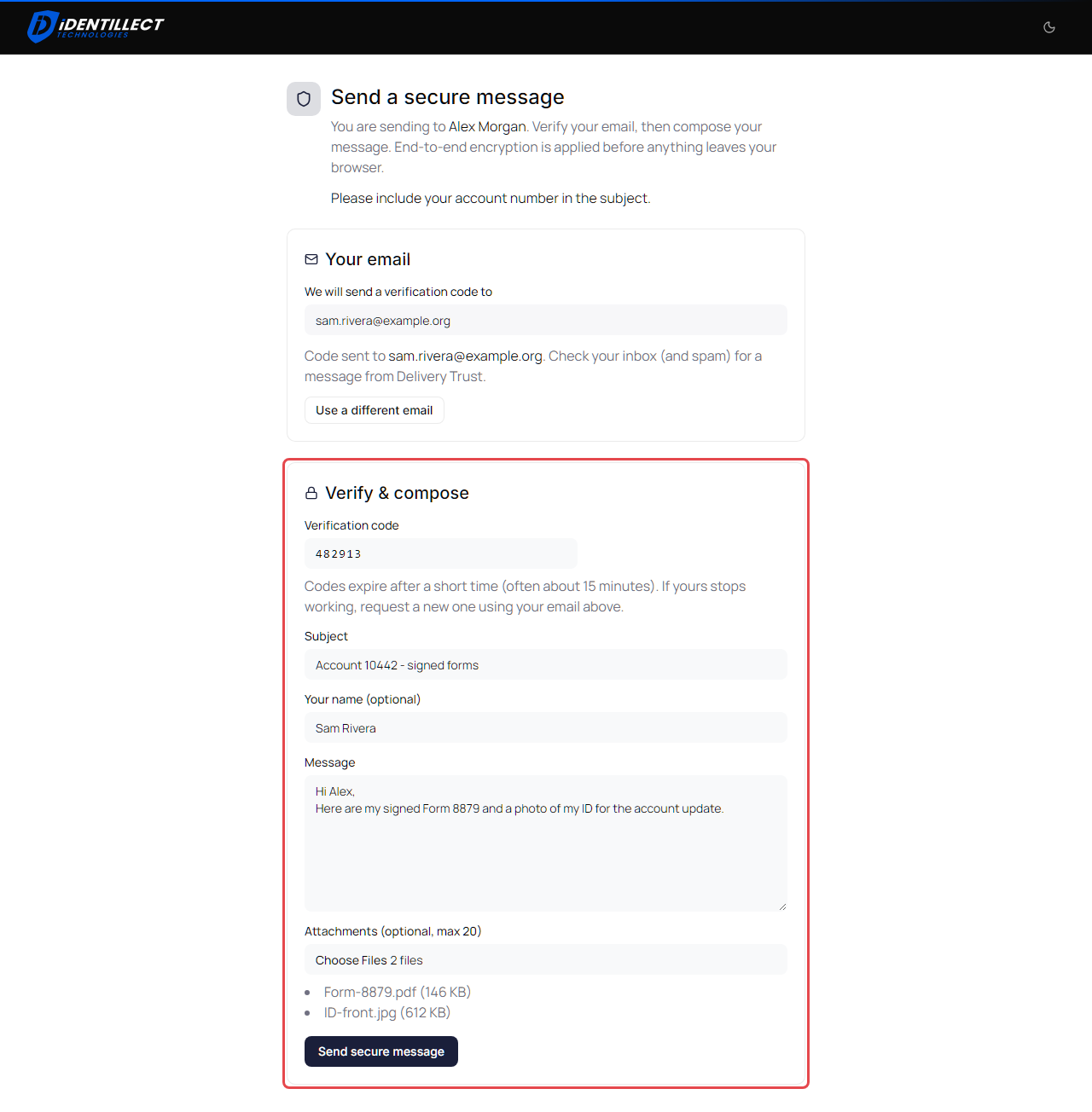
- Under Verify & compose, enter the code from that email in Verification code.
- Enter a Subject. It's required.
- Optionally enter Your name (optional) so the person knows who the message is from.
- Write your message in Message.
-
To attach files, click the file field under Attachments (optional, max 20) and choose up to 20 files. The files you chose are listed with their sizes. This field only appears if the person accepts attachments. If you choose more than 20 files, only the first 20 are kept and the page says, for example, 3 files weren't attached and You can add up to 20 files at a time.
- Click Send secure message.
When the page shows Message sent, your message has been delivered and you can close the page.
If your code doesn't work
Codes expire after a short time. To get a new one, click Use a different email, then click Send verification code again. Your address stays filled in, so you only need to change it if it was wrong.
If the page shows an error
When the link can't be used, the page shows This link is unavailable and the reason. A reason can also appear later, while you send.
| Message | What it means |
|---|---|
| This send link is currently paused. | The person has turned their link off for now. Contact them another way. |
| This send link is not available from your location. | The person only accepts messages from certain countries. |
| We couldn't confirm your location, so this secure link can't be used from here. | The person only accepts messages from certain countries, and your location couldn't be determined. Try again from a different network, or contact them another way. |
| This secure send link is not valid. or Link not found. | The link is incomplete or no longer exists. The person may have replaced it with a new one; ask them for the current link. |
| Upload did not finish | Your message was accepted but the upload stopped. Click Retry upload. Don't send it again with the same code. |