
Set up your Secure Email Link
Your Secure Email Link is a personal web address that lets anyone send you an encrypted message, without a Delivery Trust account. Share it with clients so they can send you documents securely: in your email signature, on your website, or anywhere else you connect with people.
To open it, click your name in the top-right corner of the page, then click Secure Email Link. On a wide screen you can also click the Secure Email Link icon in the quick actions bar on the right edge of the page.
Share your link
-
Under Your personal secure link, click Copy next to the link.
- Paste the link wherever you want to share it.
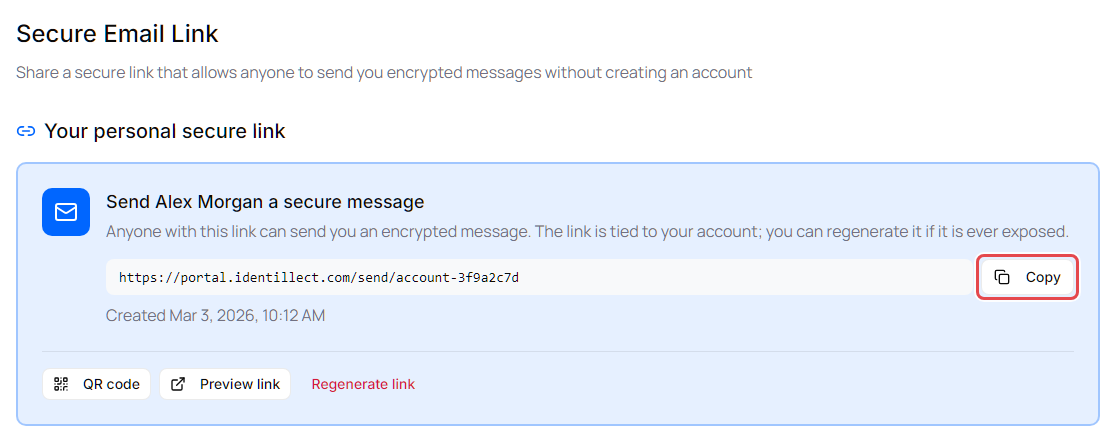
You can also:
- Click QR code to show a code people can scan with their phone to open your link.
- Click Preview link to open your public page in a new tab and see what senders see.
Change your link settings
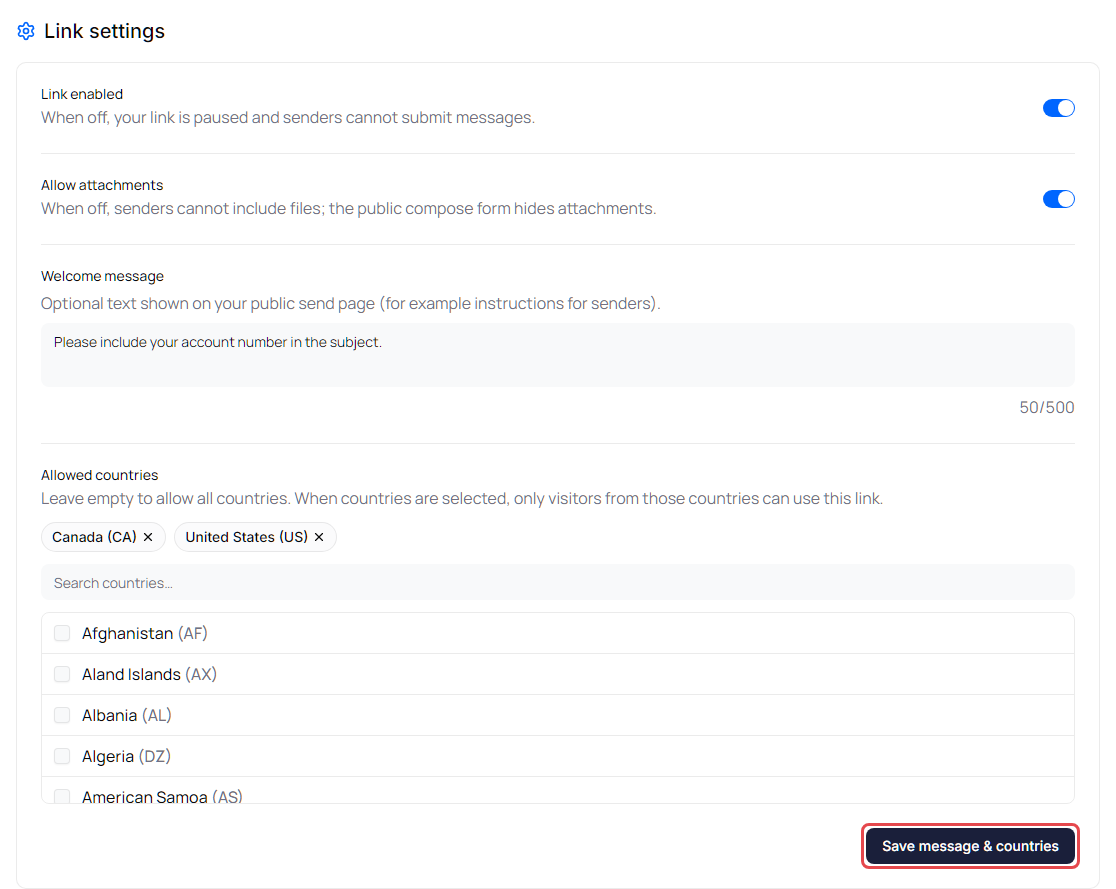
Under Link settings:
| Setting | What it does |
|---|---|
| Link enabled | Turn off to pause your link. While it's off, nobody can send you messages through it. |
| Allow attachments | Turn off to stop senders from attaching files. |
| Welcome message | Optional text shown on your page, for example instructions for senders. Up to 500 characters. |
| Allowed countries | Leave empty to accept messages from anywhere. Select countries to accept messages only from visitors in those countries. Visitors whose location can't be confirmed can't use the link either. |
Link enabled and Allow attachments are saved as soon as you switch them. After you change Welcome message or Allowed countries, click Save message & countries.
See messages sent through your link
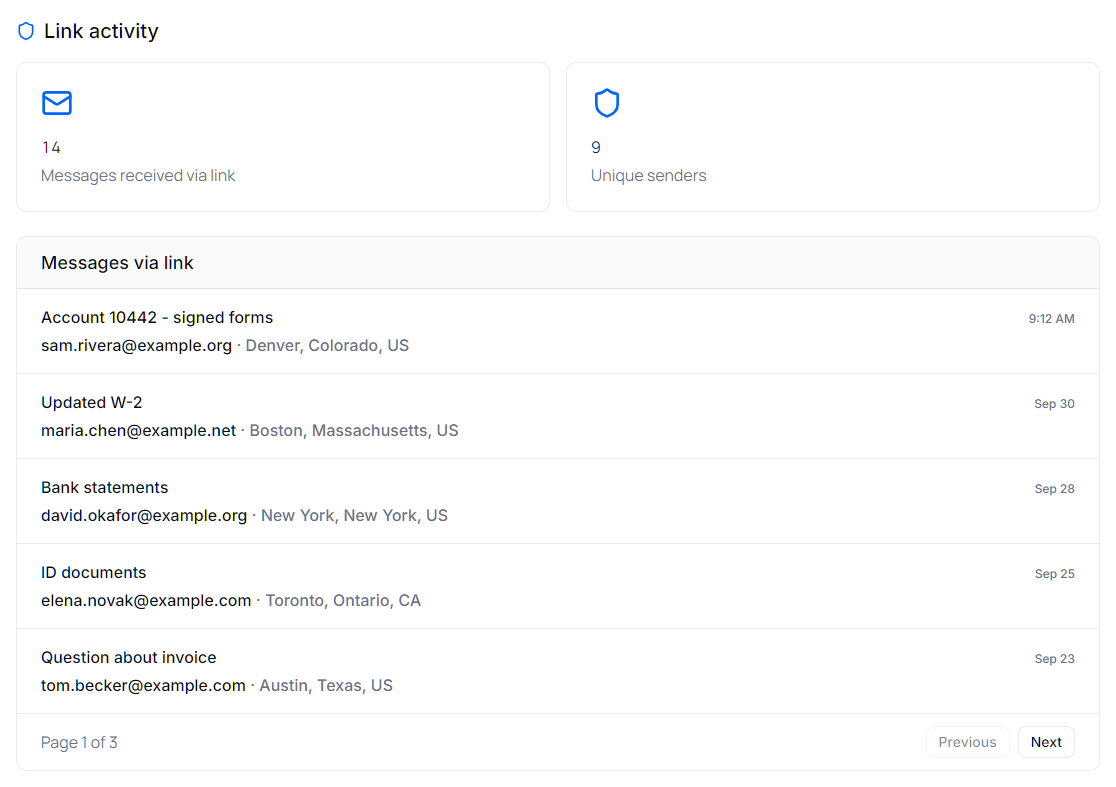
Messages sent through your link arrive in your Inbox. Under Link activity you can also see:
- Messages received via link and Unique senders: totals for your link.
- Messages via link: each message with its subject, the sender's email address, where it was sent from, and when. Click a message to open it.
Get a new link
If your link was shared with someone it shouldn't have been, replace it with a new one.
- Click Regenerate link.
- In Regenerate secure link?, click Regenerate.
Important: Your old link and QR code stop working right away. Share the new link with everyone who should be able to send you messages.
What senders see
Senders confirm their email address with a one-time code, then write their message and attach files. See Send a secure message through someone's Secure Email Link.