
Email integrity results
Email integrity checks that a secure message hasn't been changed since it was sent. When the sender has the Email Integrity add-on and turns on Enforce email integrity, Delivery Trust records a fingerprint of the message when it's sent. Before a recipient can read the message, the portal compares it with that fingerprint and shows the result.
For background on how the add-on works, see the Email Integrity FAQ.
Where the result appears
- Recipients without an account see the result on the secure message page, after any identity verification.
- Recipients with a Delivery Trust account see it in their Inbox when they open the message.
While the check runs, the portal shows Verifying message integrity….
Message verified
Message verified means "This message matches the content fingerprint recorded when it was sent." Every group of checks shows Verified:
| Group | What's checked |
|---|---|
| Message content | Subject, body and attachments |
| Sender & delivery | Sender, recipients, sent date and the sender's internet address |
| Encryption & metadata | Encryption key, encryption process and message details |
| Verification record | The stored fingerprint itself |
Click Continue to message to read it.
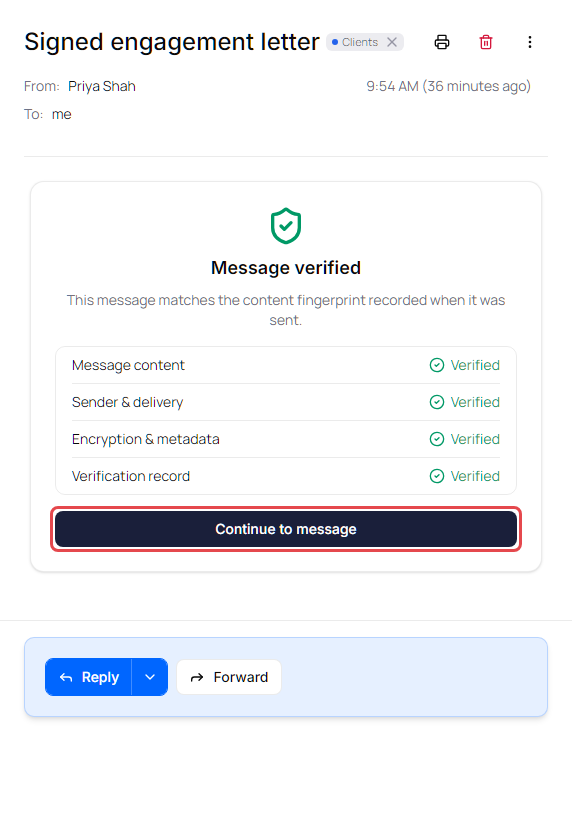
In your inbox, a green Verified badge then appears at the top of the message. Click it to see the Email integrity details again.
Verification failed
Verification failed means "This message could not be matched to its recorded fingerprint. Content is blocked." The message can't be read. Groups that didn't match show Issue found. Click View details to see each check marked Pass or Fail.
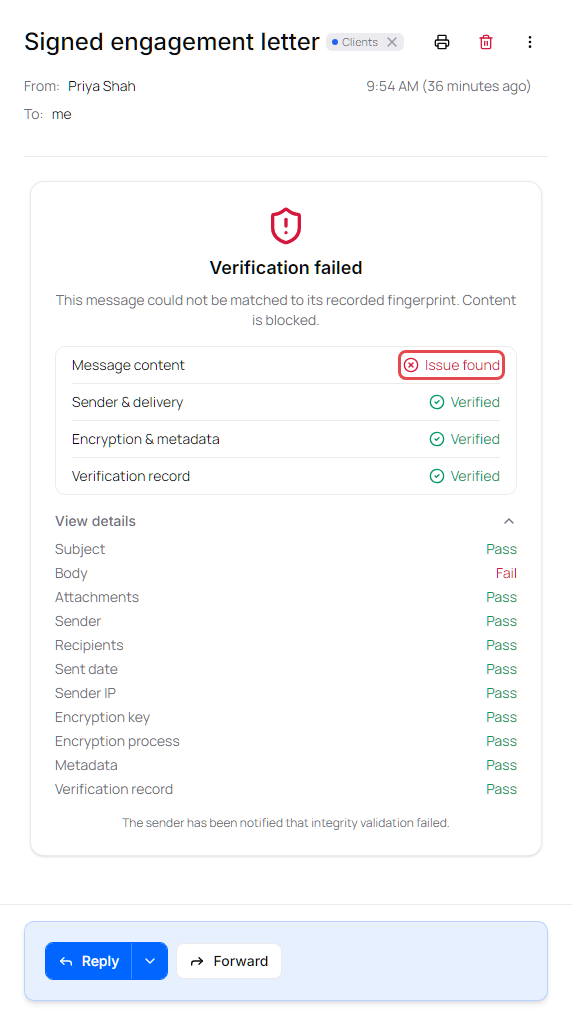
If you're the recipient: don't act on this message. Contact the sender by phone or another trusted channel, tell them the integrity check failed, and ask them to send the message again.
If you're the sender: the failed check is recorded in the message's audit trail (see View a message's audit trail). Send the recipient a new secure message. If the new message fails too, contact Identillect support.
Verification unavailable
Verification unavailable means the check couldn't run, for example because of a connection problem. On the secure message page the message stays hidden. Reload the page and try again later.